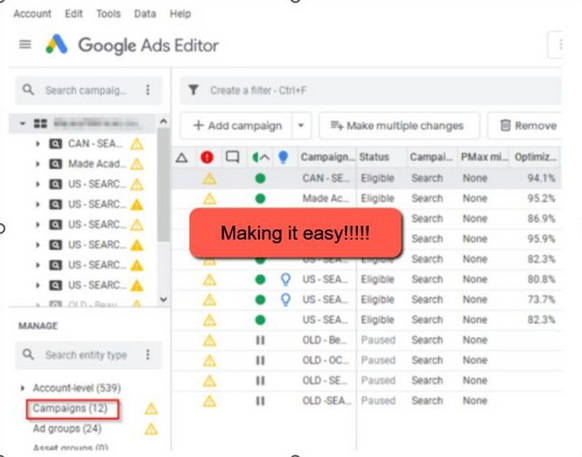
Anyone who has ever used Google Ads knows that creating a new campaign from scratch, writing dozens of ads, and setting up tens (or even hundreds) of keywords is a task that requires quite a bit of time and patience. And let’s not even mention how clunky and frustrating the Google Ads interface can be at first. Sure, you can get used to it (with the help of YouTube tutorials or expensive courses offered by “gurus”), but sometimes it feels like they’re missing something crucial: a completely free tool that can save you a lot of time and effort.
This tool is called Google Ads Editor.
What is Google Ads Editor?
Google Ads Editor is a free tool provided by Google for advertisers. It’s a desktop application that allows you to manage your campaigns efficiently, quickly, and even offline. This is an ideal solution for anyone working on Off-Market deals or managing accounts with a high workload, as it enables bulk actions and significantly streamlines your workflow.
Why Do I Think Google Ads Editor is Essential?
Using this tool, I can perform a variety of tasks easily and efficiently, such as:
- Duplicating existing campaigns in minutes.
- Editing and copying ads with ease.
- Uploading keywords in bulk, eliminating the need to manually enter them one by one in the interface.
- Managing negative keyword lists on a large scale.
- Making campaign changes offline, without relying on an internet connection.
Additionally, the tool saves time on campaign maintenance, especially for complex campaigns with dozens of ad groups or hundreds of keywords.
How to Get Started?
1. Download and Install
Go to the following link to download Google Ads Editor. After installation, log in using the same username and password as your Google Ads account.
2. Import Your Campaign Data
Once you’re logged in, you can import your campaigns into the tool and start working on them right from your desktop.
3. Edit and Improve
Use the tool to quickly edit, duplicate, or upload ads, keywords, and targeting settings—at speeds that are simply not possible with the regular Google Ads interface.
Additional Benefits
Beyond what I mentioned above, here are a few more advantages of this tool that make my life much easier:
- Handling large amounts of data: If you manage multiple accounts or campaigns with a lot of ad groups, Ads Editor lets you organize everything in one place.
- Error detection and correction: The tool identifies errors in your campaigns before uploading them, providing alerts that save you time and frustration.
- Significant time savings: Tasks that would take hours in the regular Google Ads interface are reduced to mere minutes with Ads Editor.
In Conclusion
Google Ads Editor is a must-have tool for anyone working with Google Ads who wants to save time and make campaign management far more efficient. Working on real estate deals while managing Google campaigns can be challenging enough, so using a tool like this can save you plenty of time, energy, and… stress.
😊